How to Choose WordPress Hosting: Evidence-Based Checklist
Last year, I got a panicked call from a client at 2 AM. Their e-commerce site was down. Black Friday traffic had arrived, and their $3.99/month hosting couldn’t handle it. The hosting company’s response? “You’ve exceeded your resource limits. Please upgrade.”
By the time they got back online, they’d lost $47,000 in sales.
That’s the real cost of cheap hosting. Not the monthly fee. It’s the revenue you lose when your site crashes during your biggest opportunity.
Most people choose hosting the wrong way. They scan comparison charts, look for the lowest price, and click “Buy Now.” They treat hosting as a commodity, just another line-item expense.
But if you’re following our WordPress Basics and Installation guide, you already know that infrastructure isn’t just important; it’s everything. Your hosting is the foundation your entire business sits on.
A slow host will negate every speed optimization you implement. An insecure host will expose your business to attacks. A poorly architected host will crash when you need it most.
In 2026, the performance gap between budget providers and premium managed services has widened dramatically. The good news? You can identify quality hosting if you know what to look for.
Let me show you exactly what matters.
⚡ Quick Summary (TL;DR)
- Choosing cheap, shared hosting can cost your business thousands in lost revenue when server resources fail during major traffic spikes.
- A reliable provider should offer measurable performance metrics like a TTFB under 200ms, rapid NVMe storage, and high PHP memory limits.
- Managed WordPress hosting saves you valuable time and stress by handling technical maintenance, security patches, and automated daily backups.
- You can protect your site from security threats by ensuring your provider uses account isolation and a robust Web Application Firewall.
- Smart investors avoid predatory renewal price hikes and instead select transparent infrastructure built to scale effortlessly alongside their business.
The Technical Metrics That Separate Real Performance from Marketing Hype
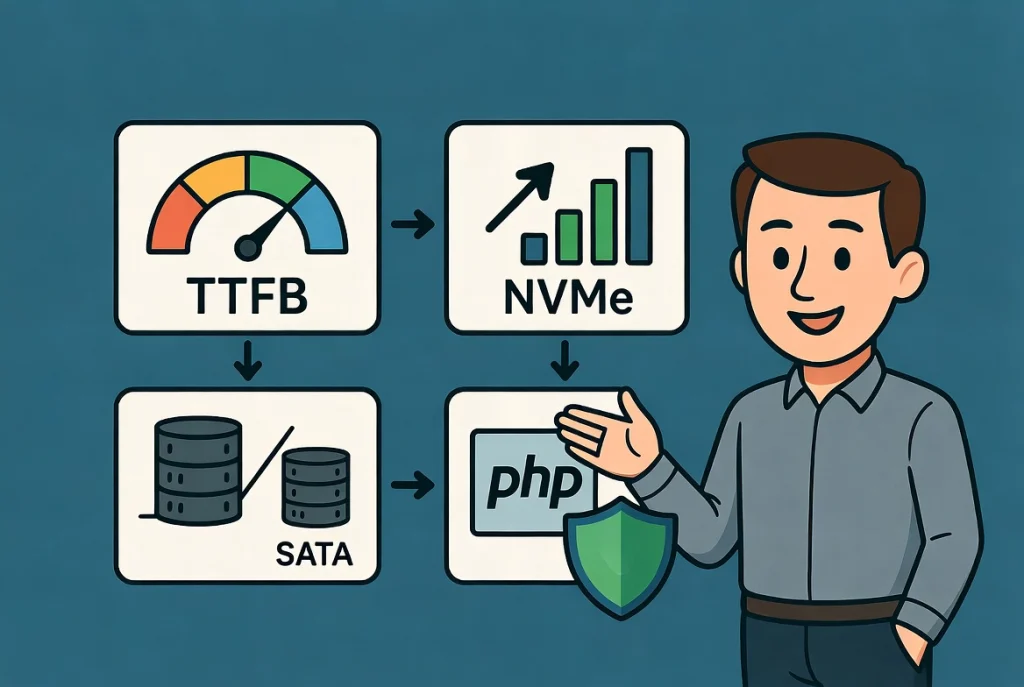
Performance isn’t subjective. It’s measurable. When you evaluate a host, ignore the marketing slogans like “blazing fast!” or “lightning speed!” Those mean nothing.
Focus on actual technical specifications.
Time to First Byte (TTFB): The Number That Tells the Truth
TTFB measures how long it takes your server to respond when someone requests a page. It’s the primary indicator of server health.
Here’s the standard I use: in 2026, a high-performing WordPress host should deliver a TTFB under 200 milliseconds. Anything over 400ms is unacceptable for a professional site.
Why does this matter? Because every millisecond of delay costs you visitors. Studies show that a one-second delay in page load time can reduce conversions by 7%. Those milliseconds add up to real money.
How do you test TTFB? Tools like WebPageTest or GTmetrix will show you this number. Run tests before you buy. Most quality hosts offer a money-back guarantee period; use it to verify their performance claims.
Storage Technology: Why NVMe Changes Everything
If your host is using aging SATA SSDs instead of NVMe Gen5 drives, your database queries will lag. This creates a bottleneck during high traffic.
Let me put this in perspective: traditional SATA SSDs can handle about 550 MB/s. NVMe Gen5 drives can handle over 14,000 MB/s. That’s not a small difference. That’s a completely different category of performance.
For WordPress, which constantly queries the database to generate dynamic pages, storage speed directly impacts your site speed. Faster storage means faster database queries. Faster queries mean faster page loads.
Don’t accept vague promises about “SSD storage.” Ask specifically, “Are you using NVMe drives?” If they can’t answer or dodge the question, that’s your answer.
Memory Allocation: The Limit That Breaks Sites
Many shared hosts cap PHP memory at 128MB or 256MB. For a modern WordPress site running the block editor or WooCommerce, this is insufficient. Your site will hit memory limits and crash.
Look for providers that allow 512MB or higher as standard. Better hosts offer 1GB or let you adjust this yourself based on your needs.
I learned this the hard way with a client running a membership site. They had 1,000 concurrent users, and their host’s 256MB limit kept triggering “Fatal Error: Allowed memory size exhausted” messages. The site would just white-screen during peak hours.
We moved to a host with 1 GB memory allocation, and the crashes stopped immediately. Same site, same code, but different infrastructure.
PHP Version Compatibility: Security and Speed Combined
WordPress runs best on the latest stable PHP release. In 2026, that’s likely PHP 8.4 or 9.0. Older versions are slower and pose massive security risks.
Here’s what bothers me: Some budget hosts still run PHP 7.4 or even older versions. These versions are end-of-life. They’re not receiving security patches. Running WordPress on outdated PHP is like leaving your front door unlocked and posting about it on social media.
Your host should force updates to secure PHP versions automatically. If they let you run ancient, unsupported PHP versions, they’re prioritizing convenience over your security.
Server Architecture: The Engine Under the Hood
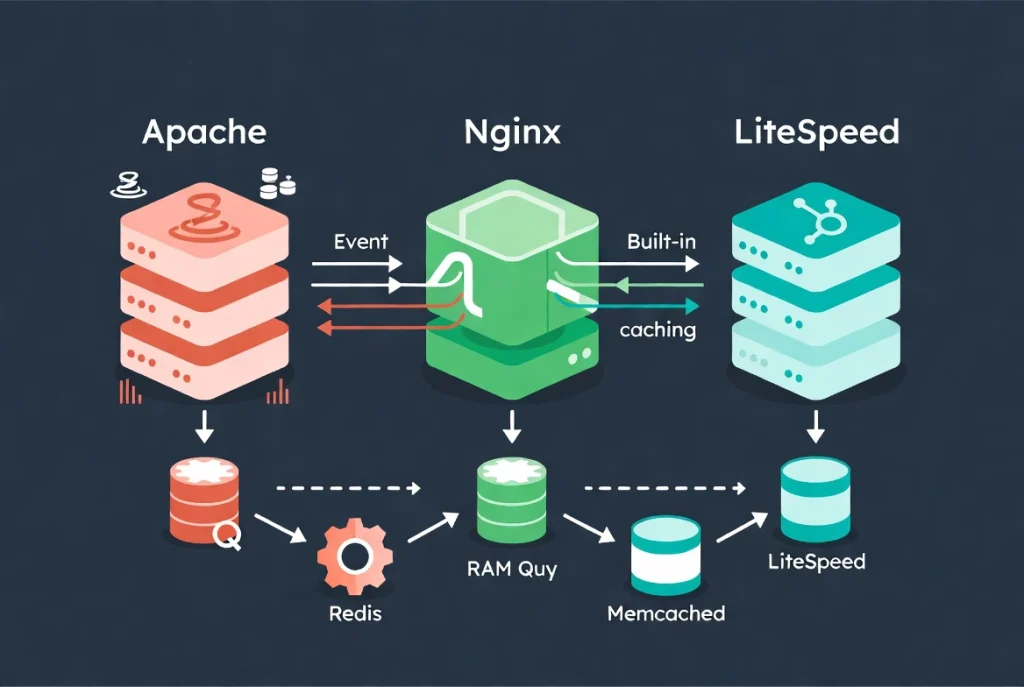
The web server software determines how your site handles requests. This is where technical choices create real performance differences.
Apache vs. Nginx vs. LiteSpeed
Apache is the old standard. It works, but it struggles under heavy load. Each connection consumes significant memory, so when traffic spikes, Apache-based sites often crash.
Nginx is the preferred choice for many high-end managed hosts because it handles concurrent connections with minimal memory usage. It’s event-driven rather than process-based, which means it can handle thousands of simultaneous visitors without breaking a sweat.
But LiteSpeed has gained massive ground recently. LiteSpeed servers often include server-level caching that outpaces traditional caching plugins. I’ve seen sites get 40-50% speed improvements just by moving from Apache to LiteSpeed, without changing anything else.
The bottom line? If your host is still running Apache without Nginx as a reverse proxy, you’re using outdated technology.
Object Caching: The Performance Multiplier
Regardless of server software, your host must offer server-side object caching like Redis or Memcached.
Here’s why this matters: WordPress queries the database constantly. Every page load might trigger dozens of database queries. Object caching stores query results in RAM, so the server doesn’t have to hit the database repeatedly for the same information.
This is especially critical for sites with logged-in users, membership areas, or e-commerce functionality. Without object caching, your database becomes a bottleneck as traffic increases.
A quality host includes this as standard. If they charge extra for Redis or don’t offer it at all, they’re not serious about performance.
Managed vs. Unmanaged: Time, Money, and Sanity
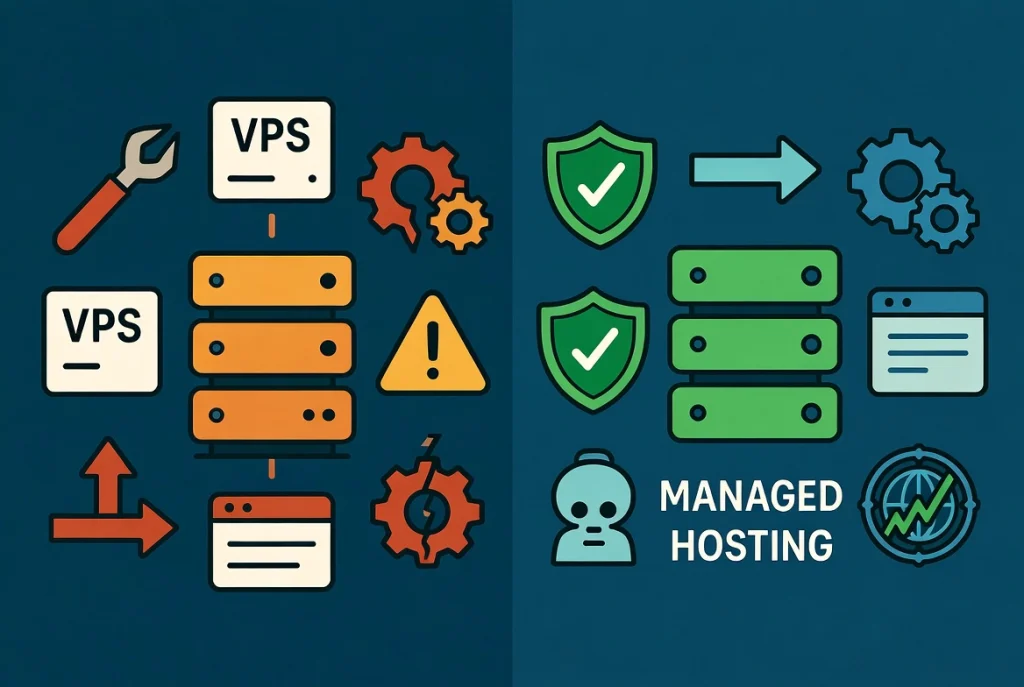
You have to decide how much time you want to spend on server maintenance. This isn’t just about technical ability; it’s about opportunity cost.
Unmanaged Hosting: The Hidden Costs
Unmanaged hosting from providers like DigitalOcean or Linode is cheap. You can get a VPS for $6/month.
But you’re responsible for everything. You install and configure WordPress. You troubleshoot when something breaks.
One wrong command can take your site offline for hours. One missed security patch can leave you vulnerable.
I’ve seen developers pull this off successfully. But for business owners? It’s rarely worth the savings. Your time is valuable. Spending hours learning server administration isn’t growing your business.
Managed WordPress Hosting: The Professional Choice
Managed WordPress hosting is the professional choice. The host handles the technical maintenance for you.
They handle:
- Daily automated backups
- WordPress core updates
- PHP updates and security patches
- Malware scanning and removal
- Server-level security rules
- Performance optimization specific to WordPress
- Proprietary caching layers
- Staging environments for testing
You pay more for these features, usually $25-50/month instead of $3-10/month. But you’re buying insurance and peace of mind. You’re buying the ability to focus on your business instead of server logs.
Here’s how I explain it to clients: if your site goes down at 3 AM, do you want to troubleshoot it yourself? Or do you want to wake up to an email saying, “We detected an issue and fixed it”?
That’s what you’re paying for with managed hosting.
The Performance Comparison
| Feature | Shared Hosting | VPS (Managed) | Enterprise Cloud |
|---|---|---|---|
| Resource Isolation | Low (Shared IP/CPU) | High (Dedicated RAM) | Maximum (Isolated Containers) |
| Typical TTFB | 500ms+ | 200ms – 400ms | Under 150 ms |
| Security Focus | Basic Firewall | WAF and Isolation | Advanced DDoS Protection |
| Scalability | None (site crashes) | Manual Upgrades | Auto-scaling Resources |
Security Architecture: Your First Line of Defense
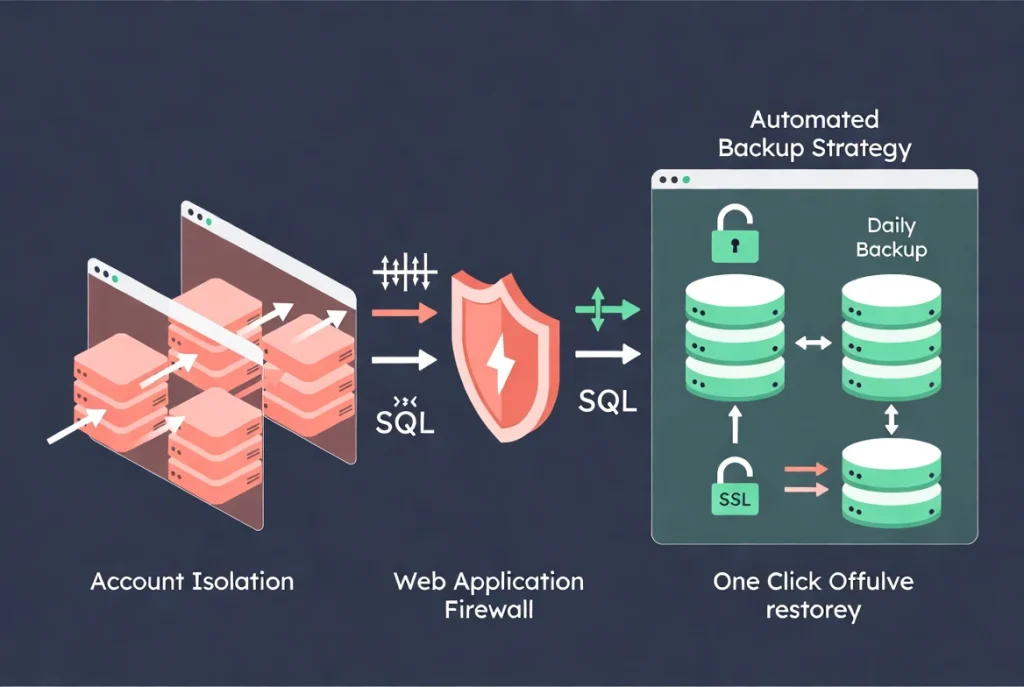
WordPress is the most targeted CMS on the internet. That’s not because it’s insecure—it’s because it’s successful. When you power 45% of the web, you become a target.
Your hosting should be your first line of defense.
Account Isolation: The Protection Most Budget Hosts Skip
Quality hosts use account isolation. This means if another site on the same physical server gets hacked, the infection cannot spread to your site.
This is a common flaw in cheap shared hosting. You’re on a server with hundreds of other sites. If any one of them gets compromised, the attacker can potentially access all sites on that server.
I’ve seen entire servers taken down because one neglected WordPress site had an outdated plugin. Everyone on that server suffered because there was no isolation.
Ask your host directly: “Do you use containerization or account isolation?” If they don’t know what you’re talking about, that’s your answer.
Web Application Firewall (WAF): Filtering Attacks Before They Arrive
A quality host provides a web application firewall. This filters out malicious traffic before it even reaches your WordPress installation.
Common WordPress attacks—like brute force login attempts, SQL injection, or XML-RPC attacks—get blocked at the server level. Your WordPress installation never sees them.
Without a WAF, your WordPress site has to handle these attacks directly. Even if they fail, they consume server resources and slow your site. With a WAF, they never get through.
Backup Strategy: The Insurance Policy You Hope to Never Use
Look for a host that offers automated daily backups with at least 30 days of retention.
But here’s the critical detail most people miss: those backups must be stored on a separate physical server. If the main server catastrophically fails—disk failure, fire, flood—your backups need to exist somewhere else.
Also verify the restoration process. You want one-click restore. When a plugin update breaks your site at 11 PM, you don’t want to be fumbling with FTP clients and database imports. You want to click a button and be back online in minutes.
I test every host’s backup system during the trial period. I deliberately break something and restore it. If the process takes more than five minutes or requires technical knowledge, I’m concerned.
Once your site is live, make sure you also install an SSL certificate for WordPress to ensure all data is encrypted. Most quality hosts now provide this free via Let’s Encrypt, but you should verify it’s properly configured.
Support: Beyond the Empty Promise of “24/7”
Every host claims 24/7 support. The reality is often disappointing.
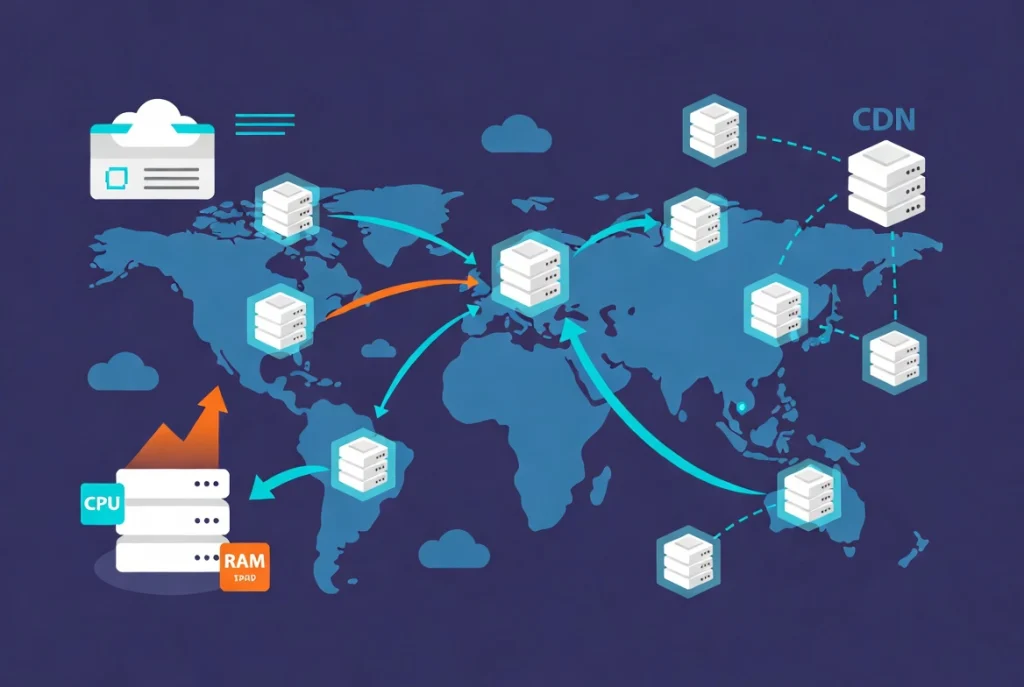
Many low-cost hosts use first-tier support agents who follow a script. They can reset your password, but they can’t diagnose a slow database query or a PHP fatal error.
Here’s how I test support quality before buying: I ask a technical question. Something like “How do you handle XML-RPC attacks?” or “Can you explain your implementation of PHP-FPM?”
If the agent can answer knowledgeably, great. If they say “let me check with our technical team” and disappear for an hour, that tells me everything I need to know.
Professional managed hosting companies employ actual WordPress engineers. They should be able to look at your site and identify exactly which plugin is causing a memory leak. They should understand how WordPress works at a deep level.
That expertise is what you’re paying for with premium hosting. When you’re troubleshooting complex issues—like learning how to use categories and tags in WordPress efficiently without impacting database performance—having expert support makes the difference between solving it in 10 minutes versus losing an entire afternoon.
Geographic Location and Scalability: Planning for Growth
Data Center Location: Physics Still Matters
Where is your data physically located? This matters for both speed and legal compliance.
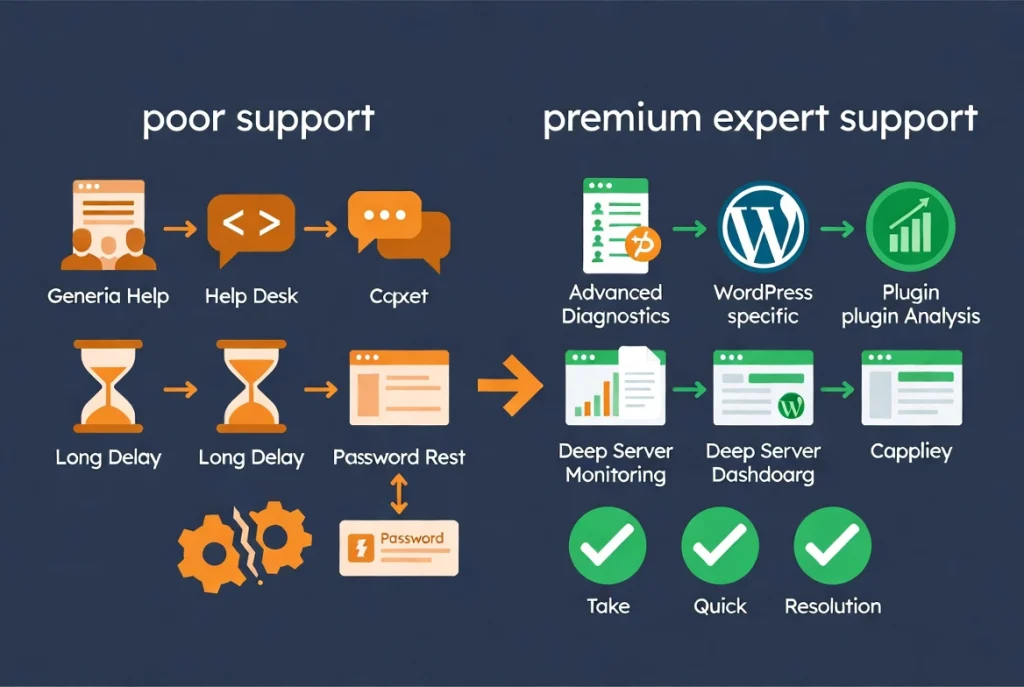
If your audience is primarily in London, your server should be in London. The physical distance between user and server creates latency. Every additional mile adds milliseconds.
Most top-tier hosts now use Google Cloud Platform or AWS backends, which offer dozens of data center locations worldwide. You should be able to choose the location closest to your primary audience.
Beyond speed, data sovereignty matters. If you serve European customers, you need to comply with GDPR and related regulations. The European Commission has consistently tightened rules on data transfers. Your host should provide a Data Processing Agreement (DPA) and be transparent about where data is physically stored.
Content Delivery Networks: Bringing Content Closer
Even with an optimal server location, a Content Delivery Network (CDN) is essential. According to Wikipedia’s entry on CDNs, edge computing has become the standard for reducing latency.
A CDN caches your static files—images, CSS, and JavaScript—on servers around the world. When someone in Tokyo visits your London-hosted site, they download images from a Tokyo server instead of waiting for them to travel from London.
Quality hosts include a built-in CDN or seamlessly integrate with services like Cloudflare. If you have to manually set up a CDN yourself, that’s a sign the host isn’t fully managing your WordPress infrastructure.
Scalability: What Happens When You Succeed
What happens if your post goes viral? If an influencer shares your product? If major news sites feature you, budget hosts will shut your site for “excessive resource usage.”
Budget hosts will shut your site down for “excessive resource usage.” I’ve seen this happen during a client’s product launch. Their site got featured on TechCrunch. Traffic spiked 50x. Their $5/month host suspended their account.
Professional hosts have a scaling path. Cloud-based infrastructure allows you to add CPU and RAM instantly. Premium services offer auto-scaling—the server automatically grabs more resources during a traffic spike and releases them when traffic normalizes.
You might pay a small surcharge for the extra traffic, but your site stays online. That’s the difference between capitalizing on an opportunity and watching it disappear.
The Hidden Costs of Cheap Hosting (That Nobody Tells You About)
Marketing departments love “introductory pricing.” You see ads for $2.95/month hosting. It sounds amazing.
Then you read the fine print.
The Renewal Price Scam
That $2.95 rate requires a three-year commitment paid upfront—about $106 total. When renewal comes, the price jumps to $12.95/month. That’s a 340% increase.
Over three years, you pay $106 initially, then $466 for the renewal. Total: $572 for six years, or $95/year average.
Compare that to a transparent host charging $10/month with no games. Six years costs $720. Yes, it’s more. But you’re not locked into a contract, and you know exactly what you’re paying.
Predatory pricing tactics signal a company that doesn’t value long-term customer relationships. They want to lock you in, make it painful to leave, and profit from your inertia.
Upsell Fatigue: Death by a Thousand Charges
If your hosting dashboard is full of upgrade prompts for basic features—SSL certificates, backups, email, security—you’re in the wrong place.
Professional hosts include these essentials in the base price. They understand that a secure, backed-up site with SSL is the bare minimum, not an optional upgrade.
I’ve seen hosts charge $5/month extra for SSL certificates. SSL certificates are free through Let’s Encrypt. There’s literally no reason to charge for them except greed.
If your host nickel-and-dimes you for basics, they’re not prioritizing your success. They’re trying to maximize revenue per customer.
Migration Costs: The Exit Tax
Some hosts make it deliberately difficult to leave. They charge migration fees or make it technically complex to export your data.
Quality hosts make migration easy—both in and out. They often offer free migration services when you join. And they don’t penalize you for leaving.
Before signing up, ask, “If I want to leave, what’s the process?” If they make it sound complicated or mention fees, that’s a warning sign.
My Decision Framework: The Questions That Matter
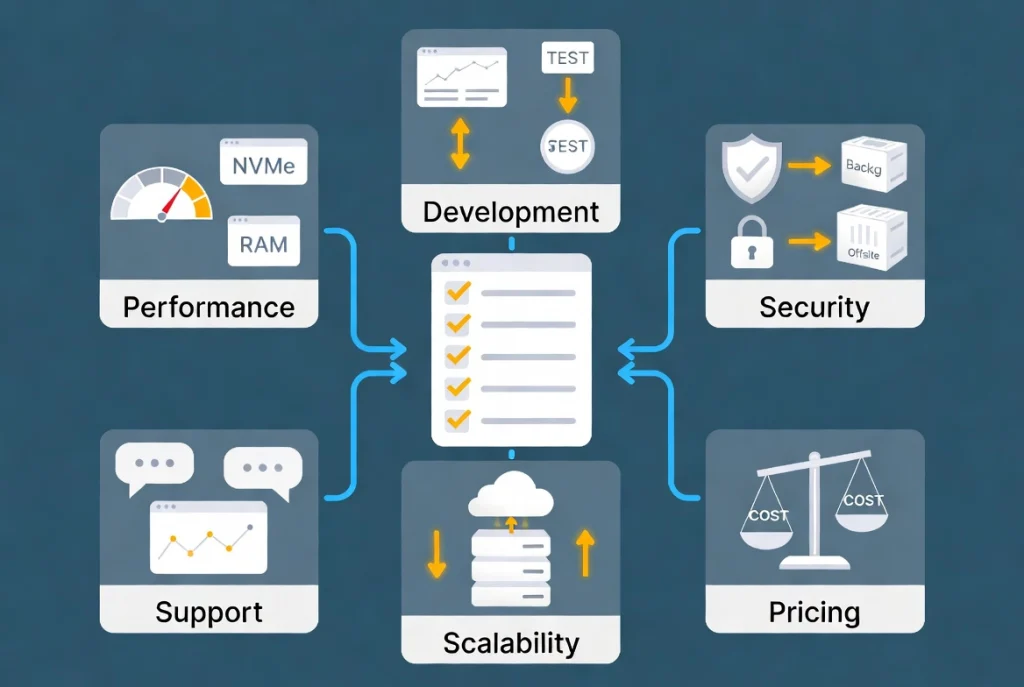
Don’t choose hosting based on a “top ten” list you find online. Most of those lists are based on affiliate commissions, not actual testing.
Instead, use this checklist for evaluation:
Performance Requirements
- Does the host provide NVMe storage?
- Is dedicated RAM allocated to my account?
- What’s the typical TTFB? (Should be under 200 ms)
- Is object caching (Redis/Memcached) included?
- Which web server software do they use? (LiteSpeed or Nginx preferred)
Development and Testing
- Is there a built-in staging environment?
- Can I test changes before pushing them live?
- Is the staging environment a true copy of production?
Security and Backups
- Are backups automated and daily?
- Where are backups stored? (Must be off-site)
- Is there one-click restore?
- Do they provide a web application firewall?
- Is account isolation implemented?
- Is SSL included free?
Support Quality
- Are support agents WordPress experts or generalists?
- Can they answer technical questions without escalating?
- What’s their average response time?
- Do they offer proactive monitoring?
Scalability and Growth
- Can the infrastructure scale instantly to handle traffic spikes?
- Is auto-scaling available?
- What happens if my site goes viral?
- Can I choose my data center location?
- Is a CDN included or integrated?
Pricing Transparency
- Is pricing transparent without massive renewal hikes?
- Are essential features (SSL, backups, staging) included in the base price?
- Can I pay month-to-month, or am I locked into long contracts?
- What’s the true cost over 2-3 years?
If the answer to any critical question is no, keep looking.
The Investment Perspective
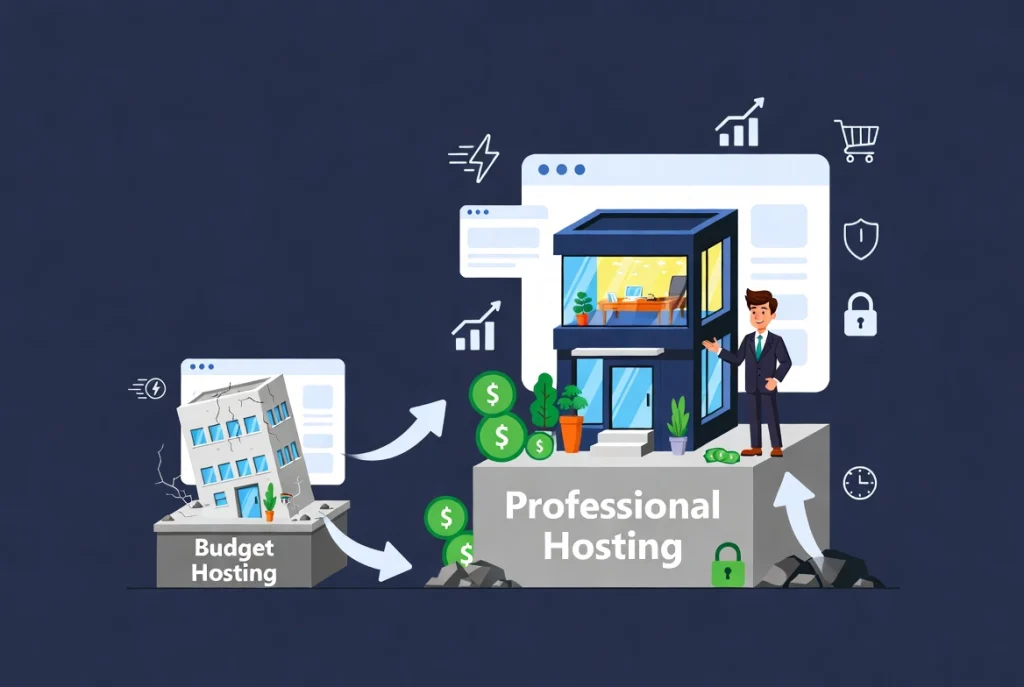
Your website is an asset. A revenue-generating, customer-acquiring, brand-building asset.
Would you build a $500,000 house on a $100 foundation? Of course not. But that’s exactly what people do when they build a serious business on $3/month hosting.
Think of hosting as an infrastructure investment, not an operating expense. The difference between budget hosting and professional hosting might be $20-40/month. That’s $240-480 per year.
If your website generates revenue from products, services, advertising, and leads, that investment pays for itself many times over in uptime, speed, and security.
My client who lost $47,000 on Black Friday because of cheap hosting? They’re now on a managed host that costs $50/month. That’s $600/year. If it prevents even one outage during a critical sales period, it’s paid for itself 78 times over.
That’s not an expense. That’s insurance.
Making Your Choice
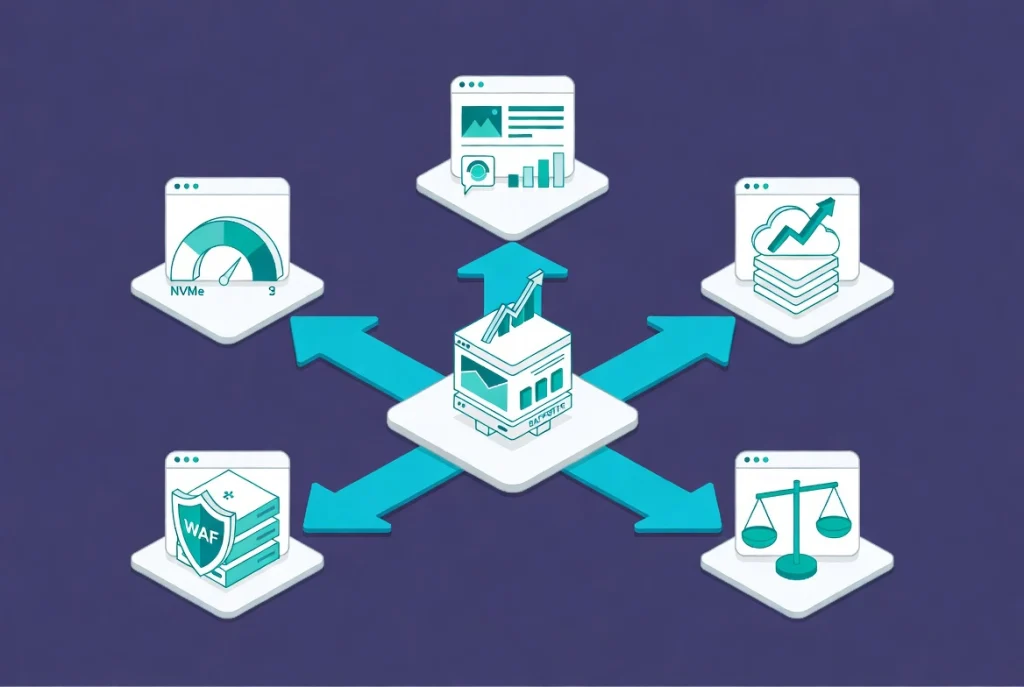
Choosing hosting is the most important technical decision you’ll make for your WordPress site. Get it right the first time, and you’ll avoid months of headaches and expensive migrations later.
Remember these core principles:
Performance is measurable. Demand specific numbers for TTFB, storage type, and memory allocation. Don’t accept marketing slogans.
Managed hosting saves time and money. Unless you’re a developer who enjoys server administration, pay for managed services.
Security must be built-in. WAF, isolation, automated backups, and SSL should be standard, not optional upgrades.
Support quality matters. You’re paying for expertise, not just server space. Test support before committing.
Plan for growth. Choose infrastructure that can scale with your success, not infrastructure that will break when you succeed.
Transparency beats tricks. Avoid hosts that rely on introductory pricing games and upsell tactics.
If you’re still setting up your WordPress site, check our WordPress Basics and Installation guide for the next steps in your journey.
Infrastructure is only the beginning, but it’s the part you cannot afford to get wrong. Choose wisely. Your future self—and your business—will thank you.
Related Resources
- WordPress Basics and Installation: Complete Guide
- Installing an SSL Certificate for WordPress
- How to Use Categories and Tags in WordPress
- Content Delivery Networks (CDN) Explained
- European Commission: Data Protection Rules