WordPress AI Integration: Architecture, Privacy, and Safety (2026)
WordPress AI integration has moved from a niche experiment to a core part of how serious site owners build, manage, and grow their online presence. We have been testing AI-powered WordPress tools across content creation, security, eCommerce, and user experience workflows. Data confirms what site owners are already experiencing: AI adopters outperform those that do not integrate across almost every measurable metric. Accessible tools, mature plugins, and a rapidly expanding infrastructure all point toward one conclusion: integrate now.
This guide is part of our full resource on Unlocking the Future: A Comprehensive Guide to WordPress AI Integration. Read on to discover which areas AI delivers real results in WordPress, which plugins are worth installing, and how to implement AI without creating more problems than you solve.
📚 New to WordPress? Before adding AI tools to your site, build the right foundation first. Start with our WordPress Basics & Installation guide and read “What is WordPress? A Beginner’s Guide to understanding the platform before layering AI on top of it.
TL;DR: What You Need to Know About WordPress AI Integration

- AI delivers measurable gains across content creation, SEO, security, eCommerce, and user experience simultaneously.
- The WordPress plugin ecosystem now offers mature, well-supported AI tools for every major site function.
- Personalization and chatbots deliver some of the fastest, most visible return on investment for site owners.
- Human oversight remains essential. AI assists and accelerates. It does not replace editorial judgment or strategic thinking.
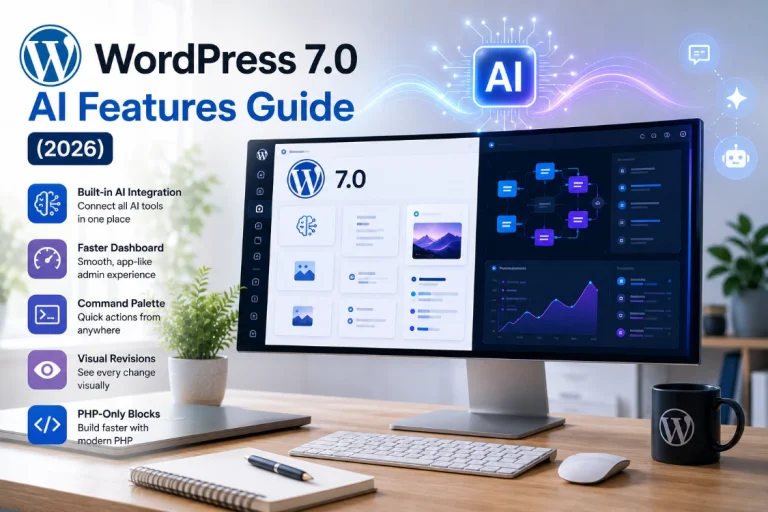
- WordPress 7.0’s new Abilities API and AI Web Client API will make plugin-level AI integration significantly more powerful from April 2026 onward.
Why WordPress AI Integration Matters in 2026

Artificial intelligence reshapes three fundamental aspects of running a WordPress site: automation, personalization, and optimization. Each dimension delivers compounding value over time.
Automation eliminates repetitive work. Content drafting, image optimization, and security monitoring all consume time that AI handles faster and at a lower cost than manual processes. Personalization increases engagement. Visitors who see tailored content, recommendations, and support responses stay longer, convert more often, and return more frequently. Optimization improves outcomes across every channel simultaneously. AI analyses data at a scale no human team matches. It surfaces SEO opportunities, performance bottlenecks, and security threats before they affect your rankings or your users.
The compounding effect matters most. A site running AI-powered content optimization alongside AI-driven security and an intelligent chatbot does not simply gain three separate improvements. Each system improves the data quality available to the other systems. Across all three dimensions, the gains on traffic, conversions, and operational efficiency exceed the sum of each individual tool.
The 5 Key Areas of WordPress AI Integration
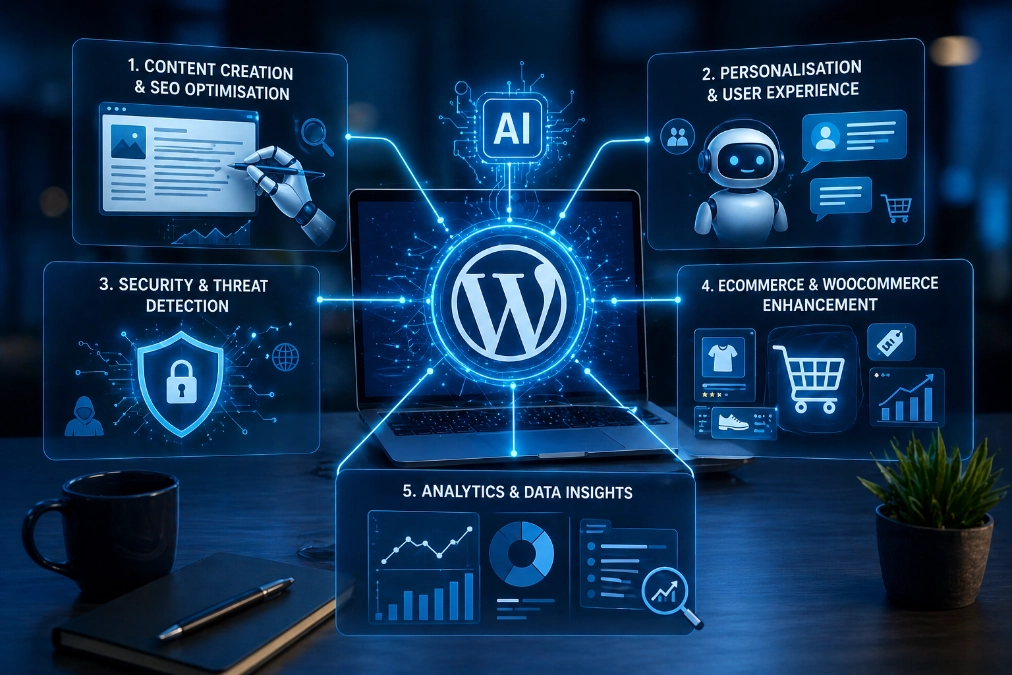
1. Content Creation and SEO Optimization
AI writing tools integrated into WordPress accelerate every stage of the content workflow. Brainstorming, outlining, drafting, and optimizing all move faster with AI assistance. AI Engine by Jordy Meow brings bulk content generation and custom chatbot creation directly into the WordPress dashboard. GetGenie AI combines writing assistance with real-time SEO scoring inside the editor. No switching between separate tools is needed.
SEO plugins have evolved significantly. All in One SEO and Rank Math now include AI-powered meta description generation, content analysis, keyword suggestions, and schema markup automation. Surfer SEO analyses top-performing pages for any target keyword and returns data-backed recommendations on word count and heading structure. We find this combination of AI writing assistance and AI SEO analysis particularly effective for closing the gap between content quality and search visibility.
2. Personalization and User Experience
AI-powered chatbots represent the fastest path to visible user experience improvement for most WordPress sites. Tidio’s Lyro AI learns from your website content and answers visitor questions with context-aware responses around the clock. WPBot integrates with OpenAI and Google Gemini to provide 24/7 automated support, lead generation, and information collection without human intervention.
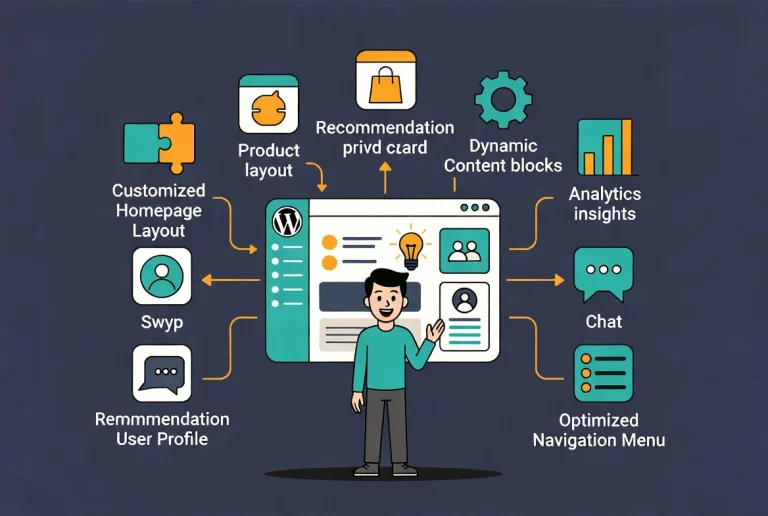
AI personalization engines analyze individual visitor behavior and adapt the content, recommendations, and calls to action each person sees. New visitors receive orientation-focused messaging. Returning visitors with established browsing patterns see contextually relevant follow-up content and offers. Behavioral adaptation drives measurable improvements in session depth, conversion rate, and return visit frequency.
3. Security and Threat Detection
AI transforms WordPress security from reactive to proactive. Traditional security plugins block known threats from static lists. AI-powered security analyses behavior patterns in real time and flags anomalies before they cause damage.
Wordfence Premium uses AI-trained malware detection to identify both known threats and emerging variants that signature-based detection misses entirely. The system analyzes login behavior, file changes, and traffic patterns simultaneously. Suspicious events stand out clearly against that dynamic baseline. Brute force attacks, SEO spam injections, and credential stuffing all trigger faster, more accurate responses through AI monitoring than static rule sets alone.
4. eCommerce and WooCommerce Enhancement
WooCommerce stores benefit from AI integration across the entire customer journey. Product recommendation engines analyze purchase history and browsing behavior to surface the items each visitor is most likely to buy. Dynamic pricing systems monitor market trends and adjust pricing automatically within parameters you define. AI chatbots handle product queries, order tracking, and return policy questions without requiring human agents.
The combined effect on conversion rate is significant. Personalized recommendations consistently outperform generic cross-sell blocks. AI support availability at checkout reduces cart abandonment due to unanswered questions. Dynamic pricing improves margin without requiring manual price management across large catalogs.
5. Analytics and Data Insights
AI analytics tools process visitor behavior data at a scale manual analysis cannot match. Pattern recognition surfaces content opportunities and flags underperforming pages before traffic losses compound. AI-powered reporting translates raw data into prioritized action lists rather than leaving site owners to interpret charts independently.
Integration with GA4 segments, Search Console data, and on-site behavior tracking gives AI analytics tools a rich data set to deliver genuinely useful recommendations. AI analytics proves most valuable for high-volume content sites where individual page decisions exceed what any editorial team can manually evaluate.
Top WordPress AI Plugins Worth Installing Right Now
| Plugin | Primary Function | Best For | Free Version? |
|---|---|---|---|
| AI Engine (Jordy Meow) | Content generation, chatbots, bulk creation | Bloggers and content teams | Yes. |
| All in One SEO | AI meta generation, schema, keyword analysis | All WordPress site owners | Yes. |
| Tidio | AI chatbot (Lyro), live chat, lead generation | Business and eCommerce sites | Yes. |
| Wordfence Premium | AI malware detection, security monitoring | All WordPress sites | Limited free tier |
| GetGenie AI | Writing and real-time SEO scoring | Content creators and marketers | Yes. |
| Elementor AI | Text generation, CSS writing, translation | Elementor page builder users | Trial available |
ℹ️ Note: Always verify current plugin compatibility with your WordPress version before installing. We recommend testing new AI plugins on a staging environment first to confirm they work correctly alongside your existing theme and plugin stack.
6 Best Practices for Implementing WordPress AI Integration

1. Define Clear Goals Before Installing Anything
AI tools solve specific problems most effectively when you define those problems before installing them. Identify your most pressing need first: faster content production, improved customer support response times, stronger security monitoring, or higher eCommerce conversion rates. One well-chosen tool addressing a specific goal delivers more measurable value than five loosely related tools installed at once.
2. Start With One Use Case and Expand
Starting with a single AI plugin targeting your highest-priority need gives you a clean baseline for measuring impact. Once that tool shows clear results, adding a second AI capability builds on a stable foundation. Implementing AI across all five areas simultaneously creates configuration complexity and makes performance attribution nearly impossible.
3. Choose Actively Maintained Plugins
The AI plugin landscape evolves rapidly. Plugins without recent updates risk compatibility failures with new WordPress and PHP versions. Check the plugin’s last update date, support forum activity, and compatibility declaration before committing to it as part of your core stack.
4. Maintain Human Oversight on All AI-Generated Content
AI content generation accelerates production significantly. It does not replace editorial judgment. Every AI-generated piece requires human review to verify factual accuracy, confirm brand voice, and catch confident-sounding errors that AI systems produce without flagging. Using AI as a drafting tool rather than a publishing tool keeps content quality consistent.
5. Monitor Performance After Every AI Addition
Establishing baseline metrics before activating any AI tool makes impact measurement straightforward. Track conversion rate, session duration, and Core Web Vitals scores before and after each AI integration. Core Web Vitals deserve particular attention. Some AI plugins load additional JavaScript that affects INP and LCP scores when misconfigured.
6. Respect Data Privacy and Compliance Requirements
AI tools that analyze visitor behavior collect and process personal data. GDPR, CCPA, and equivalent regulations all apply to AI-powered personalization and analytics features. Review the data handling practices of every AI plugin you install. Display appropriate cookie consent notices and consult a legal professional if your site serves visitors in regulated markets.
💡 Pro Tip: WordPress 7.0 launches on April 9, 2026, and ships the new Abilities API and AI Web Client API as core features. These allow you to store one set of AI provider credentials centrally and share them across all compatible plugins simultaneously. Planning your AI plugin choices around WordPress 7.0 compatibility now saves reconfiguration work after the April 9 launch.
Additional Resources
- Unlocking the Future: A Comprehensive Guide to WordPress AI Integration (Full Guide)
- WordPress Basics and Installation Guide
- What is WordPress? A Beginner’s Guide
- What’s Coming in WordPress 7.0? Features and Screenshots
- Beginner’s Guide to Generative Engine Optimization for WordPress
- Small Business Owner’s Guide to Artificial Intelligence
- Best AI Website Builders for WordPress
- How to Create a Staging Environment for WordPress
We are excited about where WordPress AI integration is heading in 2026. The infrastructure arriving with WordPress 7.0, the maturity of the plugin ecosystem, and the accessibility of tools like Novamira MCP all point toward a platform where AI moves from an optional enhancement to a foundational operating layer. Start with the use case that addresses your most pressing need today. Build from there systematically. For the complete picture of every AI integration strategy available to WordPress site owners right now, read our full WordPress AI Integration guide.