WordPress 7.0 AI Features: Client, Connectors, and Abilities
WordPress 7.0 launches on April 9, 2026, and it represents the most significant architectural shift the platform has made in years. We have been spending time inside the beta release, and we believe the upgrade is not another incremental update. This is a foundational change to how WordPress processes data, connects to external tools, and renders the user experience. For SEO strategists, content creators, and developers building custom block structures, understanding what is inside 7.0 before launch day determines how smoothly your transition goes.
This guide is part of our full resource on WordPress basics and installation. For the full picture of how AI tools work alongside this new infrastructure, read our comparison of WordPress 7 vs Novamira: Which AI Tool Do You Actually Need in 2026?
📚 New to WordPress? Start with our WordPress Basics and Installation: Complete Beginner Guide (2026) before diving into the 7.0 upgrade process.
TL;DR: What You Need to Know About WordPress 7.0
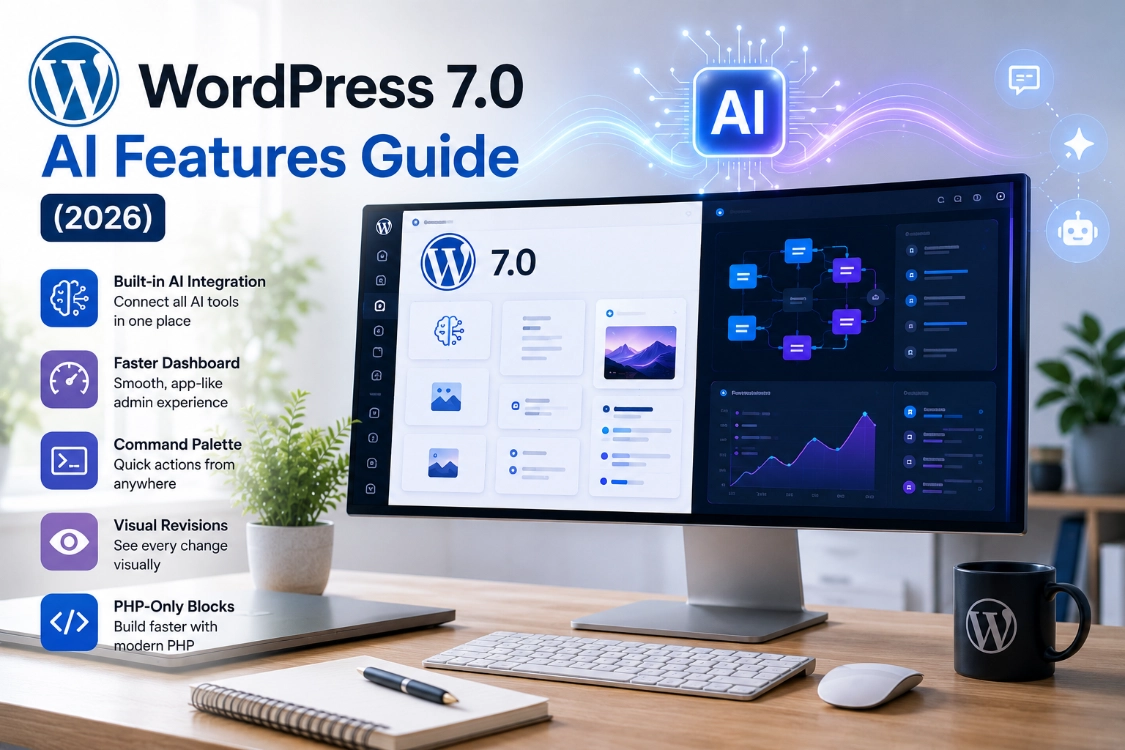
- WordPress 7.0 ships a centralized AI Connector Screen. One settings panel connects every plugin to OpenAI, Anthropic, or Google Gemini simultaneously.
- WordPress 7.0 replaces full-page reloads with fluid JavaScript-driven transitions that feel like a native app.
- The Command Pis are permanently anchored only in the top-left toolbar. Press Command + K on macOS to access it instantly.
- Visual revisions let you track edits visually inside the editor rather than reading raw code strings.
- PHP-only block building arrives, removing the forced reliance on JavaScript scaffolding for server-side blocks.
- Real-time collaboration did not make the final 7.0 release. Stability took priority over new features in this cycle.
1. The Core Transformation: Centralized AI Infrastructure
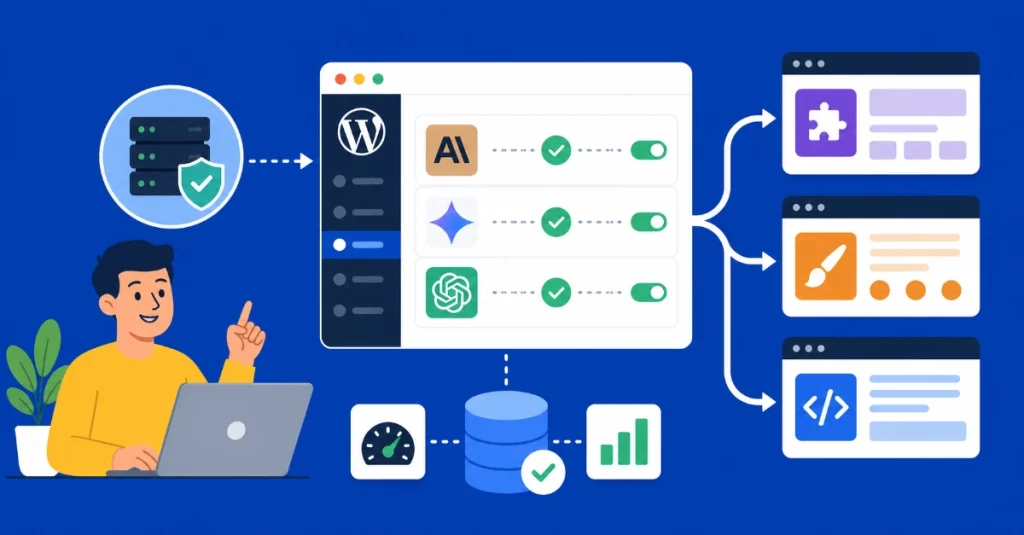
Before WordPress 7.0, every AI plugin required its own separate API key configuration. Three plugins meant three setup screens, three disconnected AI connections, and three separate points of database overhead. WordPress 7.0 fixes this with a centralized Connector Screen built directly into the WordPress core.
Site owners connect to major AI providers once, from a single dashboard location. Anthropic Claude, Google Gemini, and OpenAI all connect through the same central settings panel. Every compatible theme and plugin then draws from that central hub automatically. No duplicate setups. No fragmented API management across multiple screens.
The practical effect on server performance is significant. Plugins no longer maintain their own outbound AI connections independently. WordPress core manages the pipeline, reduces database overhead, and keeps server response times stable even as the number of AI-powered plugins on a site grows.
To understand how this centralized infrastructure works alongside external AI agents that operate your site from the outside, read our full breakdown of WordPress 7 vs. Novamira and how the two approaches complement each other.
ℹ️ Note: The centralized AI infrastructure is the foundation. The real value compounds over time as plugin developers build on top of it. Expect the ecosystem of compatible AI-powered plugins to expand significantly in the months following the April 9 launch.
2. The New Fast Admin Interface
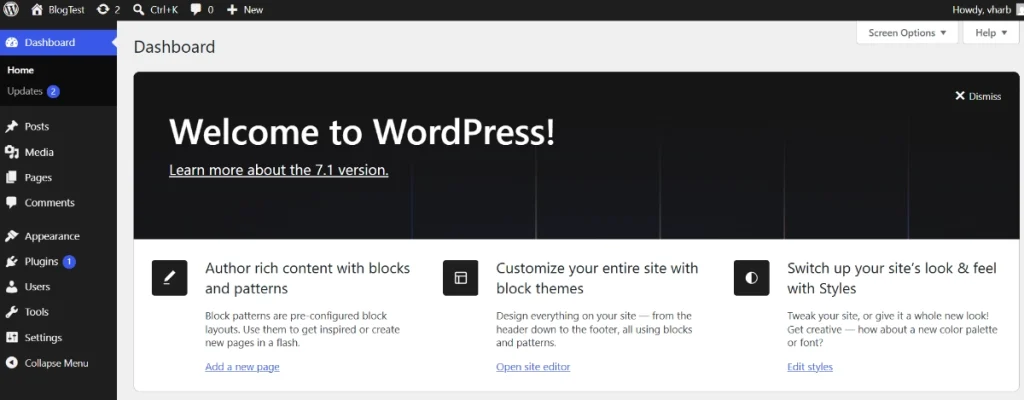
Anyone who has spent years watching the entire WordPress dashboard repaint on every menu click will notice the change immediately. WordPress 7.0 replaces legacy full-page reloads with a modern JavaScript-driven state machine. Moving between menus now feels like navigating a high-performance native desktop application.
Screens deploy fluid ease-in and ease-out transitions that update data components asynchronously without breaking user focus. The dashboard adopts an updated color system alongside the transition architecture. Administrative efficiency improves noticeably, particularly for content teams switching frequently between writing environments, media adjustments, and analytics screens.
In our testing, we found the difference immediately apparent from the first navigation click. The interface no longer interrupts workflow with loading states. Data simply updates in place.
3. The Permanent Command Palette
WordPress 7.0 takes the previously floating command interface and anchors it permanently into the top-left toolbar of the administrator console. Press Command + K on macOS, or click the search field directly, to access a full system command-line portal from anywhere in the dashboard.
The permanent placement opens the door to advanced future utilities that were not possible with the floating implementation. This single persistent entry point provides access to conversational chatbot assistants, safe UI-triggered WP-CLI commands, and quick context switching across hundreds of published pages.
Font Library and Visual Revisions
Design teams gain an updated Font Library window inside the appearance menu. Custom typographical assets load and preview without any code interaction required. The window integrates cleanly into the existing appearance workflow rather than opening as a separate tool.
Real-time collaboration did not make the final WordPress 7.0 release. The core development team removed it from the roadmap to focus on stability, redirecting that energy into perfecting visual revisions instead. Rather than sorting through raw text code strings in a condensed historical tree, users now track adjustments visually across the editor interface. Spotting what changed, when, and where becomes a visual exercise rather than a code-reading task.
4. Technical Enhancements for Developers
Native Block Visibility Controls
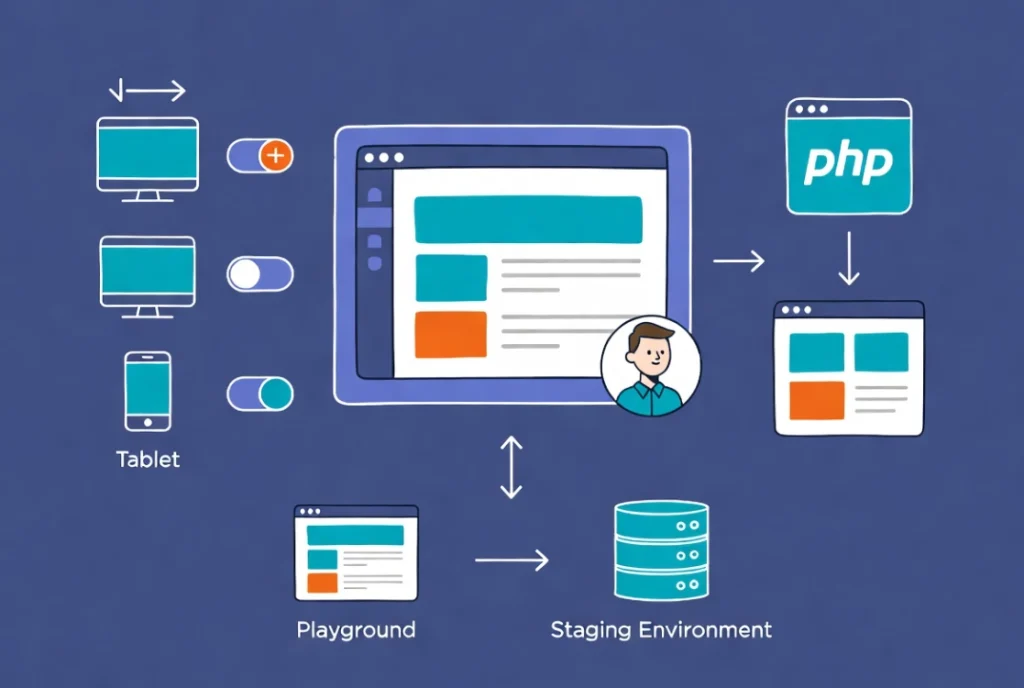
Hiding specific sections across breakpoints previously required secondary layout plugins or complex CSS media queries. WordPress 7.0 integrates native block visibility toggles directly into core settings. Creators hide or show specific Gutenberg blocks across mobile viewports, tablet layouts, and desktop terminals without writing a single line of CSS. The feature ships as a standard block setting, not a plugin dependency.
IFrame Isolation for the Editor
The entire content editing workspace now sits inside an iframe wrapper architecture. Block styles no longer mix with backend admin CSS. What developers style in their code repositories maps identically to the editor screen, eliminating the discrepancy between development preview and actual editor rendering that has frustrated theme and plugin developers for years.
PHP-Only Block Building
Backend developers can now construct server-side blocks using pure PHP rendering files. The forced reliance on JavaScript scaffolding for simple server-driven block outputs disappears entirely. PHP developers build, register, and render blocks within their existing skill set. No JavaScript toolchain setup required for server-side block output.
💡 Pro Tip: If you build custom blocks using PHP, test your existing blocks on the WordPress Playground browser environment at playground.wordpress.net before migrating your live site. The iframe isolation change affects how admin CSS interacts with editor styles. Catching conflicts in the browser sandbox costs nothing. Finding them on a live client site costs significantly more.
5. How to Test WordPress 7.0 Safely Before Going Live
Upgrading a live, high-traffic site directly to a major core release without safety measures introduces real risk. WordPress 7.0 carries more architectural changes than a typical minor update. A two-stage testing approach protects your operational uptime.
Stage 1: Browser-Based Playground
Visit playground.wordpress.net before touching any actual server. This tool creates a full-scale WordPress 7.0 environment directly inside your browser using WebAssembly. Simply drop your theme and plugins into this space to check compatibility and catch structural layout errors without risking any live files. The entire environment runs in memory and disappears when you close the browser tab.
Stage 2: Staging Environment Replication
Once browser diagnostics are clear, set up an isolated staging sandbox through your hosting provider. Duplicate your current live database, run the 7.0 core migration in that safe environment, and verify that API connections, custom scripts, and plugin integrations all perform correctly. For guidance on connecting AI tools like Claude to your staging environment before updating production, see our full tutorial on how to connect Claude AI to WordPress using Novamira MCP. Only copy those changes to the live site once staging passes completely.
| Feature | What Changed | Who Benefits Most | Available April 9? |
|---|---|---|---|
| AI Connector Screen | Centralised API key management for all AI providers | All site owners using AI plugins | Yes |
| Fast Admin Interface | JavaScript transitions replace full-page reloads | Content teams and site administrators | Yes |
| Permanent Command Palette | Toolbar-anchored system command portal | Power users and developers | Yes |
| Visual Revisions | Visual edit tracking replaces raw code diff view | Editorial teams and content managers | Yes |
| Block Visibility Controls | Native responsive visibility without plugins or CSS | Theme developers and designers | Yes |
| PHP-Only Blocks | Server-side blocks without JavaScript scaffolding | Backend PHP developers | Yes |
| Real-Time Collaboration | Multi-user live editing | Editorial teams | No, delayed post-7.0 |
Additional Resources
- WordPress Basics and Installation: Complete Beginner Guide (2026)
- WordPress 7 vs Novamira: Which AI Tool Do You Actually Need in 2026?
- How to Connect Claude AI to WordPress Using Novamira MCP
- Claude AI Content Generation with Elementor
- What’s Coming in WordPress 7.0? Features and Screenshots
- WordPress Beta Tester Plugin
- WordPress Playground
We are genuinely excited about WordPress 7.0. The centralized AI infrastructure alone changes how every AI-powered plugin on your site operates. Combined with the fast admin interface, Visual Revisions, and PHP-only block building, this release moves WordPress meaningfully closer to the modern development environment professionals have been waiting for. Prepare your staging environment now, test thoroughly, and be ready for April 9. For the complete picture of how WordPress 7.0 AI tools fit alongside external agents like Claude, read our full guide on WordPress 7 vs Novamira.