AI Personalization for WordPress: 7 Practical Uses and Risks
WordPress personalization powered by AI is changing how visitors experience websites. We have been testing AI-driven tools across multiple WordPress environments. This technology represents one of the most impactful shifts in how site owners engage their audiences. AI analyzes behavior, browsing history, and click patterns. Every visitor then receives a tailored experience in real-time, rather than a static page.
This article is part of our broader guide to AI in WordPress: real-world use cases that go far beyond writing blog posts. Read on to discover how WordPress AI personalization works, which tools deliver real results, and how to implement it on your site today.
📚 New to WordPress? Before diving in, make sure you have the basics covered with our WordPress Basics & Installation guide, which covers:
- What is WordPress? A Beginner’s Guide
- WordPress.com vs WordPress.org: Which One to Choose?
- WordPress System Requirements Explained
- How to Choose the Best WordPress Hosting
- Registering Your First Domain Name for WordPress
TL;DR: What You Need to Know About WordPress AI Personalization
- AI personalization adapts your WordPress content in real-time based on each visitor’s behavior.
- It goes far beyond showing a returning visitor’s name. It changes layouts, recommendations, and offers dynamically.
- New visitors and returning visitors can see entirely different versions of your homepage.
- Several WordPress-compatible plugins now make implementation accessible without custom development.
- Personalization directly improves conversion rates, average session time, and revenue per visitor.
What WordPress Personalization Actually Means in 2026
Many site owners still confuse personalization with basic features like displaying a logged-in user’s name. True WordPress personalization goes much deeper. AI-powered systems collect signals from each visitor: pages viewed, time on sections, scroll depth, referral source, and device type. Those signals drive uniquely relevant content for each person.
Think of it this way. A visitor from Google searching “WordPress security plugins” needs different content than a newsletter subscriber. AI personalization handles that distinction automatically. AI personalization makes that differentiation happen automatically, without any manual rules or developer input after the initial setup.
We find this particularly valuable for sites that serve multiple audience types at once. A WooCommerce store serving both beginners and advanced developers can show each group exactly what they need. No manual rules required.
ℹ️ Note: WordPress personalization is not the same as simple A/B testing. A/B testing shows different versions of a page to random groups. AI personalization adapts continuously to each individual visitor based on their specific behavior and context.
How AI Analyzes Visitor Behavior on WordPress Sites
Before content adapts, the AI engine needs data. Modern WordPress personalization tools collect and process several key behavioral signals to build a picture of each visitor.
Behavioral Data Points AI Tracks
Personalization engines monitor click patterns across your site. They record which links a visitor taps, which sections hold attention longest, and which calls to action get ignored. Browsing history within your domain matters too. A visitor who reads three WooCommerce articles will see eCommerce-focused recommendations on their next visit.
Referral source matters too. Visitors arriving from social media typically browse differently than those arriving from organic search. AI systems account for this context and adjust content framing accordingly. Device type and location complete the core data set. The engine serves mobile-optimized layouts and locally relevant offers without manual segmentation from your team.
Real-Time vs. Session-Based Personalization
Some tools personalize only within a single session. They adapt as visitors move through your site during that visit. More advanced systems build persistent visitor profiles across multiple sessions, creating richer personalization that improves over time. For most WordPress sites, session-based personalization delivers the strongest immediate results, while persistent profiling adds compounding value for returning audiences.
7 Real-World Ways to Use AI Personalization on Your WordPress Site
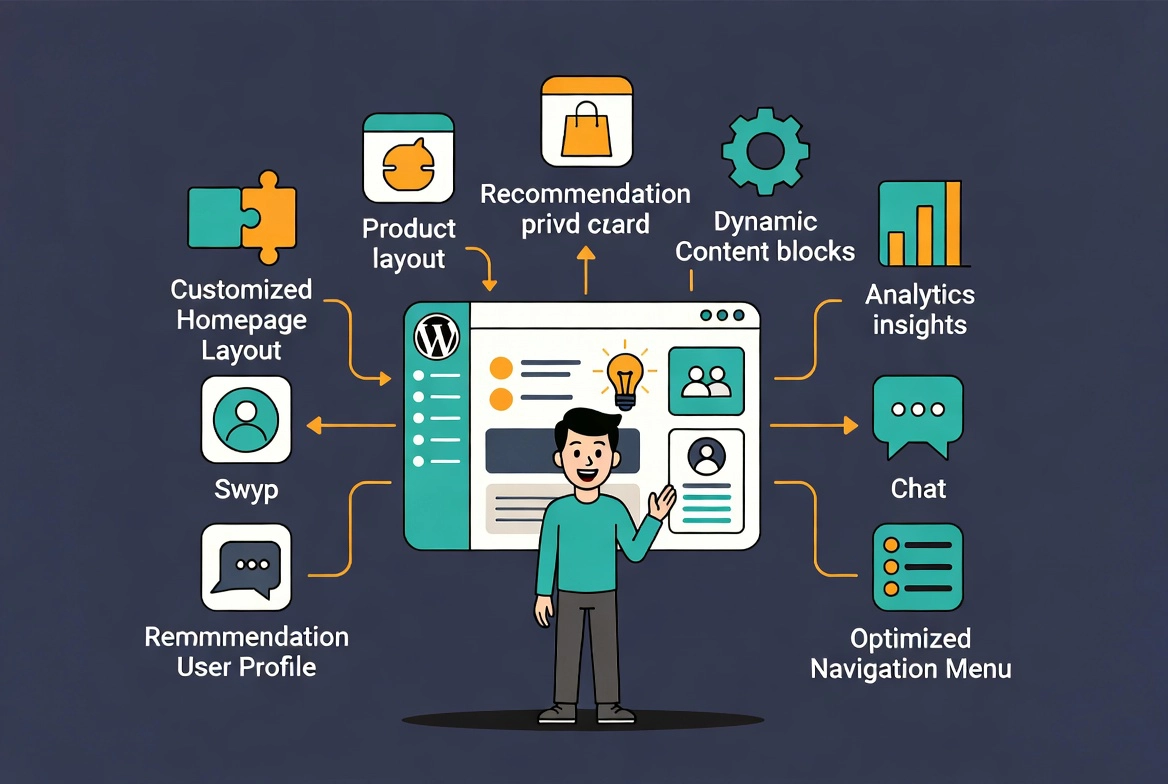
1. Dynamic Homepage Sections for New vs. Returning Visitors
New visitors need orientation. Returning visitors need progression. AI detects whether someone has visited before. It then adjusts your homepage hero section, featured content blocks, and calls to action accordingly. A first-time visitor might see your core value proposition and a lead magnet offer. A returning visitor who already subscribed sees your latest content and a product recommendation instead.
2. Behavior-Driven Content Recommendations
Static-related posts widgets show the same links to every visitor. AI recommendation engines analyze what each visitor read, how long they spent on it, and what they clicked next. The most relevant follow-up content surfaces automatically. We tested this approach on a content-heavy WordPress site and found average session depth increased significantly within the first month of implementation.
3. Personalized WooCommerce Product Suggestions
Standard WooCommerce “customers also bought” blocks rely on aggregate purchase data. AI incorporates browsing behavior, price sensitivity, and category affinity. It surfaces the products each visitor is most likely to buy. The result feels less like a generic cross-sell and more like a recommendation from someone who actually knows the customer.
4. Adaptive Lead Magnets and Opt-In Offers
Showing every visitor the same lead magnet wastes conversion opportunities. AI personalization matches the opt-in offer to each visitor’s demonstrated interests. A visitor reading about WordPress speed optimization sees a checklist on site performance. A visitor browsing WooCommerce tutorials sees a guide on increasing online store revenue. Relevance drives conversions, and AI makes it automatic.
5. Location-Based Content Adaptation
Visitors from different regions often have different needs, different currencies, and different cultural expectations. AI detects visitor location and adapts pricing, shipping information, and language preferences automatically. You never need to build separate sites for each market.
6. Personalized Navigation Menus
A developer visiting your site has no need for your beginner tutorials section in the main navigation. AI personalization can reorder or highlight navigation items based on the visitor’s demonstrated interests and role signals. Power users see advanced documentation links. Newcomers see getting-started guides. Both groups find what they need faster, which reduces bounce rates and improves satisfaction.
7. Dynamic Pricing and Promotional Offers
For WooCommerce stores and membership sites, AI personalization enables dynamic promotional displays. Visitors who repeatedly viewed a product but did not purchase can see a targeted discount on their next visit. Loyal customers with high purchase history see early access offers. These targeted promotions convert far better than sitewide discounts shown to everyone equally.
💡 Pro Tip: Start with just one personalization use case rather than implementing all seven at once. Dynamic homepage sections for new versus returning visitors deliver rapid, measurable results. They also give you a clear baseline to build from. Add additional layers once you understand how your audience responds.
WordPress Personalization Plugins and Tools Worth Considering
Several platforms integrate directly with WordPress and WooCommerce. They deliver AI-powered personalization without custom development work.
| Tool | Best For | Key Feature | WordPress Compatible |
|---|---|---|---|
| OneSpot | Content publishers | Behavior-driven content recommendations | Yes, via plugin |
| Acrolinx | Enterprise content teams | AI content alignment and audience targeting | Yes, via integration |
| If-So | Marketers and site builders | Conditional content blocks by visitor type | Yes, native plugin |
| Recombee | WooCommerce stores | Real-time product recommendation AI | Yes, via API and plugin |
| OptinMonster | Lead generation | Behavior-triggered personalized opt-ins | Yes, native plugin |
ℹ️ Note: Tool availability and feature sets change frequently. Always check each plugin’s current WordPress compatibility and reviews before installing on a production site. We recommend testing on a staging environment first.
What to Measure After Implementing WordPress Personalization
Personalization only delivers value if you track the right metrics after launch. We recommend monitoring four core indicators in the first 30 days.
Conversion rate by visitor segment tells you whether personalized experiences actually convert better than your baseline. Average session duration shows whether visitors engage more deeply with tailored content. Bounce rate by entry page reveals which personalized experiences resonate and which ones need refinement. Revenue per visitor, for WooCommerce sites, captures the direct commercial impact of personalized product recommendations and offers.
Set up these measurements before activating personalization so you have a clean baseline to compare against. Google Analytics 4 custom segments work well for these purposes, and most personalization plugins provide their own built-in analytics dashboards too.
Additional Resources
- AI in WordPress: Real-World Use Cases That Aren’t Just ‘Write My Blog Post’ (Full Guide)
- What’s Coming in WordPress 7.0? Features and Screenshots
- How to Create a Staging Environment for WordPress
- Small Business Owner’s Guide to Artificial Intelligence
- Best AI Website Builders for WordPress
- WordPress Basics and Installation Guide
We are excited about where AI personalization is heading for WordPress site owners. This technology once required enterprise budgets and custom development. Today it lives inside accessible plugins any site owner can install and configure. Start with one use case, measure the results, and build from there. For deeper coverage of every AI use case available to WordPress sites today, read our full AI in WordPress guide.