NibWP Overview: WordPress MCP Features, Plans, and Safety
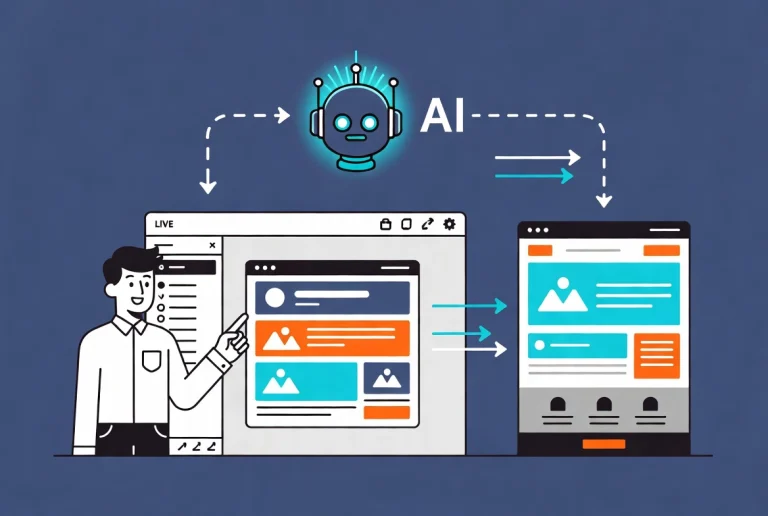
AI agents are moving from writing suggestions to direct site control, and NibWP is one of the clearest examples of that shift. The plugin transforms your WordPress installation into a Model Context Protocol server. AI assistants like Claude, ChatGPT, and Google Gemini then communicate directly with your site’s data through structured, permission-checked calls rather than fragile scraping.
We have been reviewing the expanding landscape of WordPress MCP tools. This article focuses specifically on NibWP, what it does, what separates it from alternatives like Novamira, and whether it belongs in your workflow.
What NibWP Actually Does
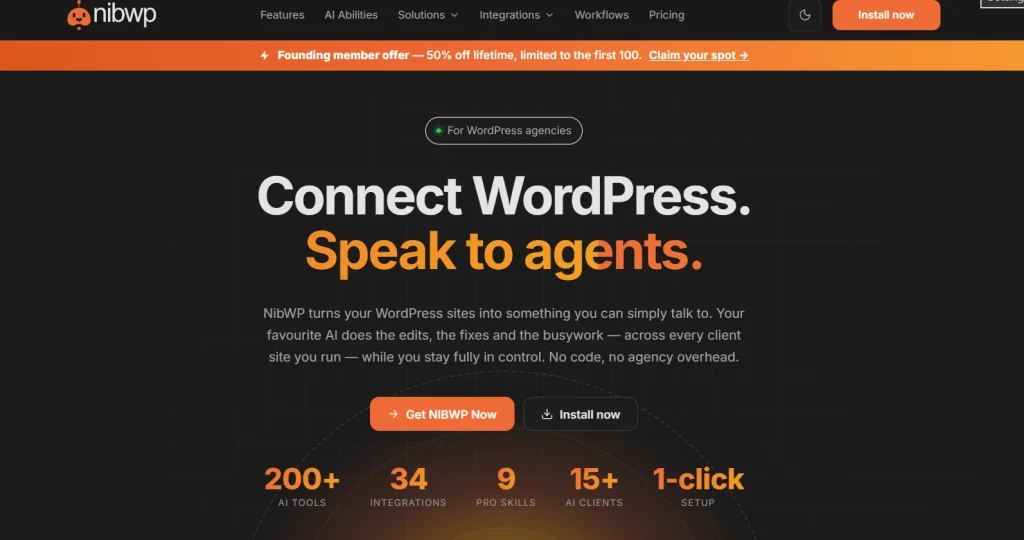
Installing NibWP adds an MCP server layer to your WordPress site. After activation, the Connect screen offers an application-password route and, where the client and host support it, scoped sign-in with an approval screen. Choose only the permissions you need, verify the connection, and revoke access when it is no longer required.
NibWP exposes typed WordPress abilities to a connected AI client instead of relying on scraped page content. Its free plan includes reading and writing core content such as posts, pages and media, subject to the connected WordPress account’s permissions. Premium SEO and page-builder integrations, workflows, broader bulk actions, and sandboxed PHP or file operations require the appropriate paid plan and permission scopes.
NibWP runs on your WordPress site and connects through its own MCP endpoint. According to NibWP’s privacy policy, posts, custom fields, memory and audit logs stay on your site, while license validation sends the domain and license key to NibWP. MCP requests pass to the AI client you connect, so saying that data never leaves your server would be misleading. Supported connection methods include WordPress application passwords and scoped sign-in, depending on the client and hosting setup.
Free vs Pro: What Each Tier Covers
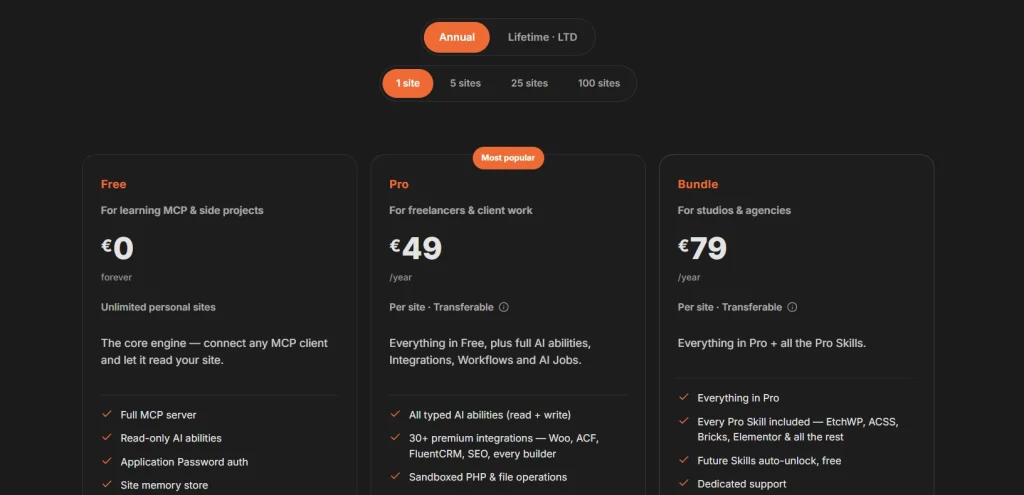
| What’s Included | Free | Pro Most Power |
|---|---|---|
| Core MCP Functionality | ✓Full core functionality | ✓Full core functionality |
| WordPress Abilities | ✓Core content abilities (read and write) | ✓All typed AI abilities (read and write) |
| Content & SEO Tools | ✓Posts, pages, terms, comments, menus, media and options | ✓Core content plus premium SEO integrations |
| Sites and Workflows | ✓Unlimited personal sites | ✓Per-site license; workflows and full audit log |
| Page Builder Integrations | ✕ Not included | ✓Elementor, Bricks, Etch, Divi, Breakdance and more |
| Specialised Tools | ✕ Not included | ✓WooCommerce, ACF and other premium integrations |
| Builder Skill Packs | Optional packs sold separately | Optional packs sold separately; Bundle includes all current and future Pro Skills |
| Pricing | €0; unlimited personal sites | Pro €49/year per site; Bundle €79/year per site |
Checked 19 September 2026 against NibWP pricing. Its August 5 release notes call Agent View and NibWP Design free, while the current pricing page places them under Pro. Confirm their current plan availability with NibWP before buying.
ℹ️ Note: Check the NibWP listing on WordPress.com for compatibility details if you run a business or commerce plan rather than a self-hosted WordPress.org installation.
How NibWP Compares to Novamira
NibWP documents named, typed AI abilities and permission scopes. Novamira takes a broader PHP-runtime approach. This is a comparison of documented access models, not a measured reliability or security verdict; we have not run the same tasks on both products.
NibWP lists premium integrations for WooCommerce, ACF, SEO tools and page builders. Access to those integrations depends on the plan and the permissions granted to the AI client. For a full side-by-side of both tools alongside WPVibe, read our guide on top Novamira alternatives for AI-powered WordPress development.
NibWP vs Novamira: Quick Comparison
| Feature | NibWP | Novamira |
|---|---|---|
| Access Method | Structured, typed-tool approach | Full PHP runtime access |
| Defined Capabilities | Named, typed AI abilities | Open-ended PHP execution |
| Output Style | Typed responses; audit logging on applicable plans | Flexible, less structured |
| Plugin Integrations | Premium integrations: WooCommerce, ACF, SEO and builders | Broad raw access, no dedicated integration library |
| Best Suited For | Core content or integrated workflows, depending on plan | Deep development work in staging environments |
| Philosophy | Structured, permission-scoped access | Depth and raw access |
Practical tip: test the MCP connection on a staging copy. Begin with read-only access, grant write or manage scopes only for the task, and review the audit trail before repeating changes across sites. We have not verified that NibWP and Novamira coexist without conflicts on every WordPress setup.
Who Should Use NibWP
The free plan is most useful for a solo site owner who wants an AI client to read or update core WordPress content under that user’s existing permissions. Agencies and freelancers who need SEO-plugin or builder integrations, workflows, granular access controls, or file and PHP operations should examine Pro and test it on staging first. Bundle makes sense if you need several separate builder Skills. NibWP documents these capabilities, but we have not run a controlled reliability comparison against competing MCP plugins.
Additional Resources
- Discover Novamira MCP: AI-Powered WordPress Features
- WordPress 7 and Novamira: How They Fit Together
- Top Novamira Alternatives for AI-Powered WordPress Development
- NibWP Official Website
- NibWP on WordPress.org Plugin Directory
September 2026 update: NibWP’s changelog documents scoped sign-in with an approval screen, Agent View, NibWP Design, User Access, a CLI for working across sites, and added support for Breakdance/Oxygen 6, Voxel, Weglot and ten form plugins. These are vendor-documented capabilities, not features we independently tested. Check the plan-availability conflict noted above before relying on Agent View or NibWP Design in the free tier.
NibWP offers a structured way for an AI client to work with WordPress. Start with the free core-content abilities on a staging site, grant the narrowest useful permissions, and check the result before repeating an action across sites. Pro is for premium integrations, workflows and advanced operations; Bundle adds the current and future Pro Skills. Check NibWP’s live pricing and documentation before purchasing, because plan details can change.